1. Heading Tag
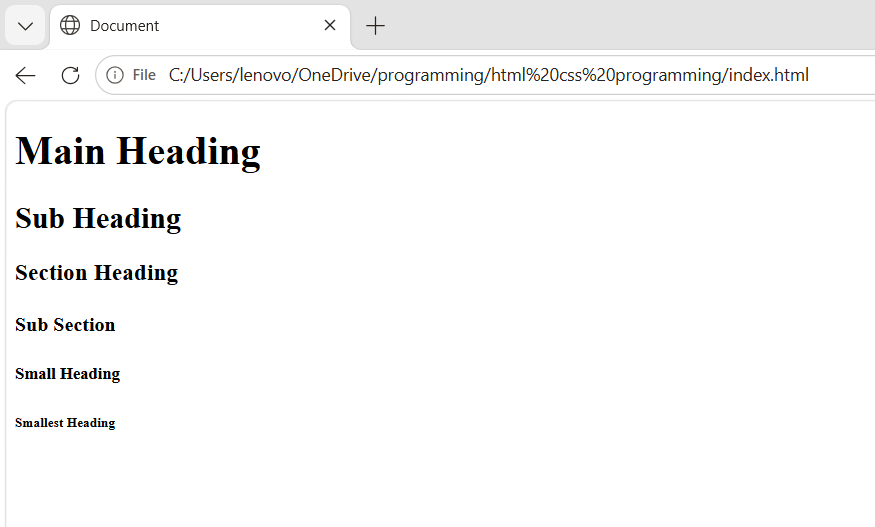
HTML में Heading Tags का उपयोग web page के शीर्षक (Title) और उपशीर्षक (Subheading) को बनाने के लिए किया जाता है। Heading Tags page के structure को arrange करने में मदद करता हैं और SEO के लिए भी महत्वपूर्ण होता हैं।
Syntax :
<h1>Main Heading </h1>
<h2>Section Heading </h2>
<h3>Subsection Heading </h3>
<h4>Subheading </h4>
<h5>Minor Subheading </h5>
<h6>Smallest Heading </h6>
HTML में कुल 6 Heading Tags होते हैं
| Tag | English Name | हिंदी उपयोग |
|---|---|---|
<h1> | Heading 1 (Main Heading) | मुख्य शीर्षक |
<h2> | Heading 2 (Section Heading) | मुख्य सेक्शन |
<h3> | Heading 3 (Subsection Heading) | उप-सेक्शन |
<h4> | Heading 4 (Subheading) | छोटा उप-शीर्षक |
<h5> | Heading 5 (Minor Subheading) | अधिक छोटा उप-शीर्षक |
<h6> | Heading 6 (Smallest Heading) | सबसे छोटा उप-शीर्षक |
Example :
<!DOCTYPE html>
<html lang="en">
<head>
    <meta charset="UTF-8">
    <meta name="viewport" content="width=device-width, initial-scale=1.0">
    <title>Document</title>
<body>
<h1>Main Heading</h1>
<h2>Sub Heading</h2>
<h3>Section Heading</h3>
<h4>Sub Section</h4>
<h5>Small Heading</h5>
<h6>Smallest Heading</h6>
</body>
</html>
Output :
उपयोग :
- Heading Tag का उपयोग Title और Sub heading को बनाने के लिए किया जाता है |
- Heading Tag Content को arrange करने में मदद करता है |
- Heading Tag Page को google पर SEO कराने में महत्वपूर्ण भूमिका निभाता है |
2. Paragraph Tag (<p>)
HTML में Paragraph Tag (<p>) का उपयोग text को paragraph के रूप में Represent करने के लिए किया जाता है। यह web page के content को arrange और Read करने में आसान बनाता है।
Syntax :
<p> This is my first paragraph </p>Example :
<!DOCTYPE html>
<html lang="en">
<head>
    <meta charset="UTF-8">
    <meta name="viewport" content="width=device-width, initial-scale=1.0">
    <title>Document</title>
<body>
    <p>Lorem, ipsum dolor sit amet consectetur adipisicing elit.
        Reiciendis blanditiis veniam illo minus voluptatem fugit,
         eos repudiandae. Nihil consequuntur totam, voluptatum
         repellendus iure ex doloremque.
          Quos expedita laudantium culpa eius?</p>
</body>
</html>
Output :
Lorem, ipsum dolor sit amet consectetur adipisicing elit. Reiciendis blanditiis veniam illo minus voluptatem fugit, eos repudiandae. Nihil consequuntur totam, voluptatum repellendus iure ex doloremque. Quos expedita laudantium culpa eius?
उपयोग :
- Paragraph Tag का use लंबे content को arrange करने के लिए किया जाता है |
- Paragraph Tag का use Blog, article और वेबसाइट कंटेंट लिखने के लिए जाता है |
- Paragraph Tag का use CSS Styling लागू करने के लिए जाता है |
3. Line Break (<Br>)
HTML में Line Break Tag (<br>) का उपयोग टेक्स्ट को अगली लाइन में ले जाने के लिए किया जाता है। यह नया पैराग्राफ नहीं बनाता, बल्कि केवल एक लाइन ब्रेक (Line Break) देता है।
Syntax :
<br> Example :
<!DOCTYPE html>
<html lang="en">
<head>
    <meta charset="UTF-8">
    <meta name="viewport" content="width=device-width, initial-scale=1.0">
    <title>Document</title>
</head>
<body>
    <p>
Welcome to Codecse<br>
Learn HTML Easily<br>
Start Your Web Development Journey
</p>
</body>
</html>
Output :
Welcome to Codecse
Learn HTML Easily
Start Your Web Development Journey
उपयोग :
- Line break tag का use टेक्स्ट को अगली लाइन में ले जाने के लिए किया जाता है |
- Line break tag का use Address लिखने के लिए किया जाता है |
- इसका उपयोग कविता (Poem) या गीत (Lyrics) लिखने के लिए किया जाता है |
4. Horizontal Tag (<hr>)
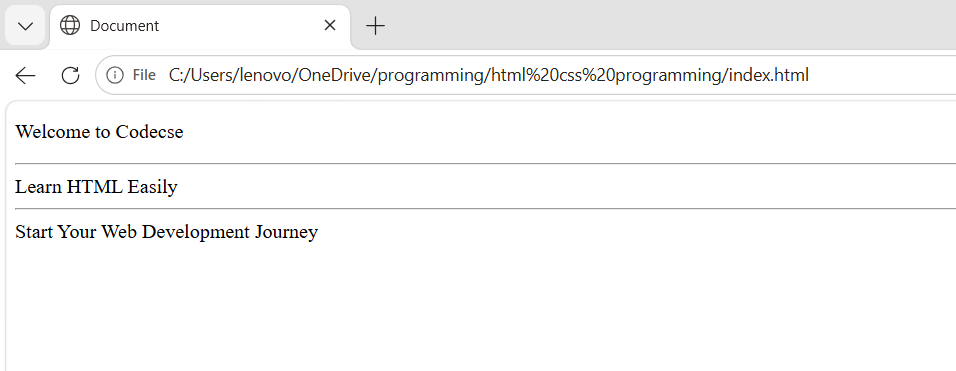
HTML में Horizontal Rule Tag (<hr>) का उपयोग वेब पेज पर एक क्षैतिज रेखा (Horizontal Line) बनाने के लिए किया जाता है। यह कंटेंट के विभिन्न भागों (Sections) को अलग करने में मदद करता है।
Syntax :
<hr> Example :
<!DOCTYPE html>
<html lang="en">
<head>
    <meta charset="UTF-8">
    <meta name="viewport" content="width=device-width, initial-scale=1.0">
    <title>Document</title>
<body>
    <p>
Welcome to Codecse<hr>
Learn HTML Easily
<hr>
Start Your Web Development Journey
</p>
</body>
</html>
Output :
उपयोग :
- <Hr> tag का use Sections को अलग करने के लिए किया जाता है |
- <Hr> tag का use Content को व्यवस्थित दिखाने के लिए किया जाता है |
- <Hr> tag का use Web Page में Visual Separation के लिए किया जाता है |
5. Comment Tag (<!-- -->)
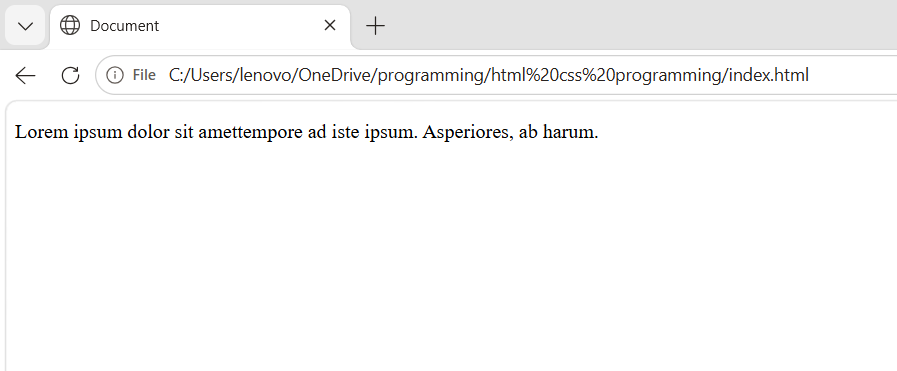
HTML में Comment Tag का उपयोग कोड में नोट्स (Notes), स्पष्टीकरण (Explanation) या जानकारी लिखने के लिए किया जाता है। Comment ब्राउज़र में दिखाई नहीं देता, केवल Source Code में दिखाई देता है।
Syntax :
<!-- Comment Text -->Example :
<!DOCTYPE html>
<html lang="en">
<head>
    <meta charset="UTF-8">
    <meta name="viewport" content="width=device-width, initial-scale=1.0">
    <title>Document</title>
<body>
    <p> Lorem ipsum dolor sit amet<!-- consectetur, adipisicing elit.
        Dolor velit accusantium ab? Ducimus, consequatur.
         Minus praesentium ullam id laudantium explicabo ducimus
          totam, nobis, <-->tempore ad iste ipsum.
          Asperiores, ab harum.</p>
</body>
</html>
Output :
उपयोग :
- Comment Tag का use कोड की जानकारी देने के लिए किया जाता है |
- Comment Tag का use कोड को समझने में सहायता के लिए किया जाता है |
- Comment Tag का use कोड को अस्थायी रूप से छिपाने के लिए किया जाता है |
- Comment Tag का use टीम प्रोजेक्ट में नोट्स लिखने के लिए किया जाता है |
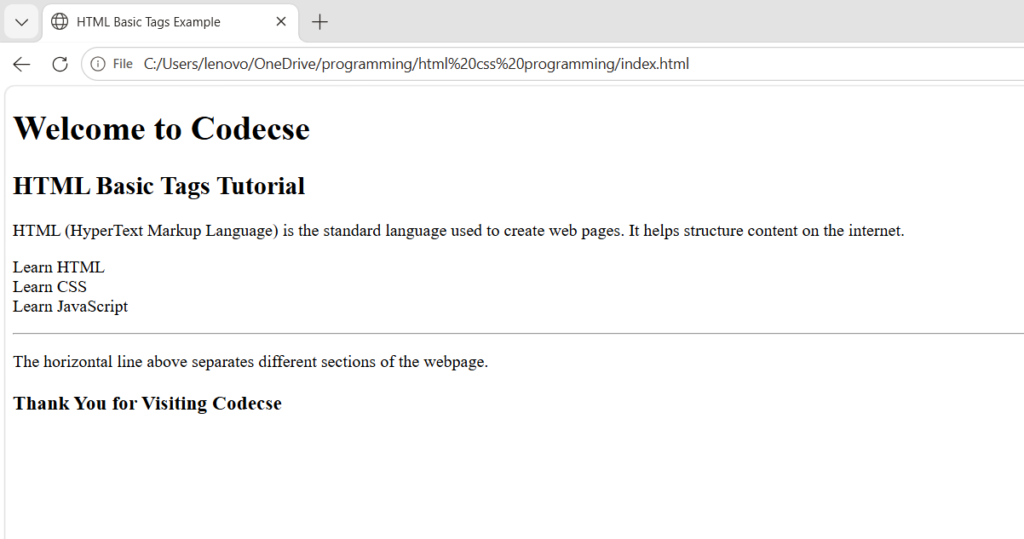
Basic Tag Summary :
<!DOCTYPE html>
<html>
<head>
    <title>HTML Basic Tags Example</title>
</head>
<body>

    <!-- Main Heading -->
    <h1>Welcome to Codecse</h1>

    <!-- Sub Heading -->
    <h2>HTML Basic Tags Tutorial</h2>

    <!-- Paragraph Tag -->
    <p>
        HTML (HyperText Markup Language) is the standard language used to create web pages.
        It helps structure content on the internet.
    </p>

    <!-- Line Break Tag -->
    <p>
        Learn HTML<br>
        Learn CSS<br>
        Learn JavaScript
    </p>

    <!-- Horizontal Rule Tag -->
    <hr>

    <!-- Another Paragraph -->
    <p>
        The horizontal line above separates different sections of the webpage.
    </p>

    <!-- Footer Comment -->
    <h3>Thank You for Visiting Codecse</h3>

</body>
</html>
Output :